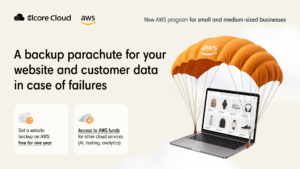
Website hosting and a backup of all your data for $0 for the first year, plus up to $25,000 for AI implementation.
Elcore Cloud helps website and online store owners get AWS funds: we migrate your site, set up a backup, and direct the funds to AI.
Elcore Cloud is a certified AWS Advanced Consulting Partner. All technical work is done by certified architects and engineers. More than 200 businesses already run on AWS infrastructure with us.
10 hours of support every month and a local account manager;
billing in your local currency in line with local legislation;
access to other AWS programs through the partner;
support from engineers with AWS certifications;
recommendations for optimizing cloud services.
You can take the whole program or only some parts of it. Here is what each part includes.
AWS hosting. Your website runs not on a single hosting provider server but in the Amazon cloud: resources adapt to the needs of the site. $0 for the first year, then from $1 per month. AWS funds cover the website migration.
Website backup. Website files, the database, orders, and customer data are stored in AWS separately from the main server. $0 for the first year, then from $1 per month depending on the data volume and the number of copies.
Up to $25,000 for AI. At the consultation we choose an AI use case together, and Elcore Cloud submits an application to AWS to receive the funds. The exact amount of funds depends on your project.
For a business, a website on AWS hosting means three things: it does not stop when one server fails, it handles traffic peaks without a change of plan, and the bill is transparent and depends on usage.
Elcore Cloud engineers copy the files, the database, and the settings to Amazon servers, check that everything works, and connect your domain. The website address stays the same, and only the infrastructure under it changes.
Pay for what you use: only for what the site actually uses: server power, disk space for files, database size, and the traffic that visitors download from the site. For example, in a quiet month there are fewer visitors and less traffic, so the bill is lower too.
The site handles peaks: resources grow when the site needs more and shrink when the load drops. For example, a traffic peak during a sale needs neither a move to a more expensive plan nor a call to hosting support: resources adjust on their own.
Stable operation: the site runs on servers in Amazon data centers, not on a single physical machine. For example, the failure of one server does not stop the site.
Fast loading: a CDN serves images and pages from the node closest to the visitor. For example, shoppers from different countries get the catalog from the node closest to them, not from one distant server, so speed is equally high for everyone.
Security: SSL encrypts data, and DDoS protection stops artificial overload. For example, data from a request form cannot be intercepted, and the site will not go down in the busy season.
A copy in case of failure: data is stored separately from the main server, so the site can be restored after a failure. More in the section “Website backup”.
From $1 per month, the exact amount depends on your website. An example based on ready-made Amazon Lightsail website templates (WordPress, Magento, PrestaShop) at public prices: a server for an online store is $84, a database is $15, together about $100 per month. For a small site, from $5.
If you would like to build a site from scratch on a ready-made platform in Amazon Lightsail and place the new site on AWS infrastructure right away, you can read more about this option below, in the section “A new website on a ready-made platform”.
No, the address and look of the site stay the same. Only what it runs on changes, along with how efficiently it works.
No, while the engineers prepare the copy on AWS, the site keeps running on the old hosting, and we switch the domain to the new server after testing, at a time that suits you, so the site’s operation is not affected.
For a business this is insurance: losing data means lost orders, customer contacts, and months of work on the site, and with a backup you return to a ready working version instead of starting from scratch. This matters especially for a store that has orders every day and where the site directly affects sales. Elcore Cloud engineers set up the backup.
a failed website update broke the site: we return to the last working version;
the hosting provider’s server is unavailable: the site can be launched from the backup;
a critical server failure: a disk or server failed and cannot be recovered, and we bring the site up from the backup together with all the data;
a manager accidentally deleted products or orders: there is a place to restore the data from;
a virus or a hack damaged the site files: we restore a clean version from the backup.
Hosting backups usually sit on the same infrastructure as the site. The AWS backup is stored separately: in the Amazon cloud, on different servers from your site and its hosting.
No, the site can stay with your provider, and we will add the backup alongside.
Yes, with no changes. For example, shoppers keep placing orders while the engineers set up the backup alongside, without stopping the site.
Elcore Cloud helps you get funding from AWS. At the consultation we prepare a request for your case together with you and submit the application. After approval, the funds go toward AI implementation. We name the amount range at the consultation.
AI can be implemented for your customers (for example, a chatbot that answers questions about delivery and payment, or a recommendations block in a store) and for the team’s internal work (for example, document search or automatic processing of requests).
a support chatbot answers customers’ typical questions about delivery, payment, and returns;
knowledge base search: an employee or customer asks a question in words and finds the answer in the documentation;
recommendations in an online store: “people usually buy this with…” based on purchase history;
request processing: AI recognizes the topic of an email or form and passes it to a manager right away;
document handling: invoices and contracts are recognized and entered into the system automatically.
No, these are AWS funds: money that AWS allocates for implementing your AI project, up to $25,000. It is not paid into your account but covers the setup work, so you pay nothing for it and do not repay it later.
No, at the consultation we will choose together the scenario that will be most useful to you.
The Elcore Cloud team runs the project from setup to support.
Elcore Cloud as a local partner provides faster support and a number of benefits. Only the payment format changes, and it becomes more convenient, and you get a certified technical and customer support team.
the first year free, and a 50% discount on the annual bill for the following year;
clear bills: we explain what the AWS bill consists of and what you are paying for;
the option to add a website backup and AWS funds for AI to your account;
migration support: we tell you which steps your account needs and go through them together with you.
No, the account and services stay where they are. Only the billing changes.
The discount applies to the AWS bill in the second year, after the free first year. The manager will explain at the consultation how it applies to your account.
You pay in your local currency and have a manager nearby who knows your project.
No website, or want to start from scratch? We will build a new website on Amazon Lightsail and place it on AWS infrastructure right away. This option is part of the program and is also covered by AWS funds.
What Lightsail is: an AWS service where a site is launched from a ready-made platform template, and the server and security are configured automatically. The price is fixed every month.
Normally a website needs an administrator to run it: they configure the server, the database, security, and the domain. In Lightsail all of this is already packaged into a ready-made set. For example, you choose a platform for an online store, and a server with everything needed is created automatically.
WordPress: for a services site, a blog, or a corporate website. For example, a dental clinic website with an appointment form.
Magento or PrestaShop: for an online store. For example, a store with a product catalog and a cart.
Joomla and other ready-made platforms: for a site on a platform your team is used to.
a clothing store launches a catalog with a cart on Magento or PrestaShop, and the server with everything needed is already ready;
a manufacturer or distributor launches a corporate website with a product catalog and a request-a-quote form on WordPress;
a dental clinic or a consulting company gets a website with an appointment form on WordPress.
Yes, Elcore Cloud engineers will assess what can be migrated: pages, texts, products. What exactly and how depends on the builder, and we will determine it during the technical assessment.
No, you can start from a ready-made Lightsail template. A custom design can be added separately.
Yes, you change texts, photos, and products yourself in the admin panel of the platform you chose (for example, WordPress or Magento).
Request: a form on the page, only contacts and the company name are needed. A manager will contact you within 1-2 business days.
Technical assessment and plan: engineers assess the data volume, load, and dependencies of the site and draw up a plan with deadlines.
Setup: we migrate the site, set up the backup, or move the billing. We need access and answers to a few questions from you, and the engineers do the rest.
Setup: we migrate the site, set up the backup, or move the billing. We need access and answers to a few questions from you, and the engineers do the rest.
Support and optimization: 10 hours per month and an account manager. After the migration, Elcore Cloud gives recommendations for optimizing the bill.
Owners of websites and online stores where the site directly affects sales.
Companies that already use AWS and want to pay in local currency at a discount.
Businesses that plan AI but do not want to spend their own money on the first experiments.
Teams without their own DevOps: our engineers will set everything up.
The program is designed for those whose website costs are $50-300 per month. If your costs are well outside this range, we will suggest another AWS program.